Using the Flower Bouquet Outline Icon in Your Projects
When you're building a brand or designing a digital experience, the small details often carry the most weight. The Flower Bouquet Outline Icon is one of those details—a versatile design asset that brings elegance, clarity, and a natural aesthetic to a wide range of applications. This isn't just another decorative element. It's a carefully crafted vector icon designed with real-world usability in mind, ready to integrate seamlessly into your workflow whether you're a designer, entrepreneur, or content creator.
Visual Characteristics and Design Personality
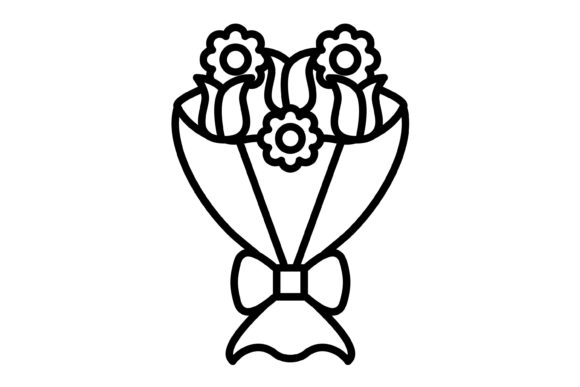
At its core, the Flower Bouquet Outline Icon features clean, continuous lines that form a recognizable floral arrangement. The style leans toward minimalism without sacrificing personality—each petal, stem, and leaf is rendered with intentional simplicity, making it legible at small sizes and striking at larger scales. The outline approach gives it a modern, airy feel that works across both contemporary and classic design contexts. There's a certain warmth to the icon that avoids feeling clinical or overly geometric, which makes it particularly effective for brands that want to convey approachability, nature, beauty, or care.
The icon's personality adapts depending on how you use it. Paired with a sans serif font and muted earth tones, it feels grounded and organic—perfect for wellness brands or sustainable product lines. Combined with a script font and a pastel palette, it takes on a romantic, celebratory quality suited for wedding invitations or event planning businesses. This flexibility is part of what makes it such a practical addition to your design assets library.
Where This Icon Works Best
The included file formats—AI, EPS, JPG, PNG with transparent background, and SVG—mean you're covered across virtually every platform and medium. Here's where the Flower Bouquet Outline Icon truly shines:
- Mobile Apps and Websites: The SVG format scales perfectly on any screen resolution, making it ideal for app icons, navigation elements, section dividers, or decorative accents in web design. It loads quickly and maintains crisp edges whether displayed on a retina smartphone or a desktop monitor.
- Print Materials: From packaging design to business cards, brochures, and editorial layouts, the vector formats ensure your icon prints cleanly at any size. The outline style reproduces well even on textured paper stocks or when printed in a single color.
- Social Media Graphics: Use the transparent PNG to overlay the icon on photographs, colored backgrounds, or patterned textures. It works beautifully as a watermark, profile accent, or part of a larger visual system for Instagram posts, Pinterest pins, and Facebook covers.
- Presentations and Templates: If you're building slide decks, Canva templates, or branded document layouts, the icon adds a polished visual element without overwhelming your content. It supports visual hierarchy by drawing attention to key sections or breaking up dense text.
- Logo Design and Brand Identity: While the icon works well as a standalone element, it can also serve as a starting point for logo design exploration. Many successful brand identity systems incorporate a simplified icon mark alongside a display font or serif font wordmark, and this floral motif offers a strong foundation for that kind of visual language.
Practical Guidance for Integration
Before dropping the Flower Bouquet Outline Icon into your next project, take a moment to evaluate fit. Consider the tone of your existing typeface choices and color palette. If your brand leans heavily on bold, industrial modern typography, a delicate floral outline might feel out of place. But if your visual system already includes organic shapes, soft curves, or nature-inspired elements, this icon will integrate naturally.
Font pairing matters here too. The icon's gentle curves complement both serif fonts with traditional elegance and handwritten fonts with casual warmth. Test it alongside your primary and secondary typefaces to see how the visual weight balances. A premium font with refined proportions will often pair more harmoniously with a detailed outline icon than a heavy, condensed typeface that competes for attention.
One practical tip: because this is a 100% vector icon, you can easily customize stroke weight, adjust proportions, or modify individual elements in Adobe Illustrator or any compatible editorial design software. If the bouquet feels too detailed for your use case, simplify it. If you need it to match a specific line weight in your creative font system, adjust the strokes accordingly. This editability is what separates a truly useful design asset from a static image you're stuck with.
Readability, Recognition, and Audience Engagement
Icons function as visual shorthand. A well-designed icon reduces cognitive load, helps users navigate interfaces faster, and reinforces brand recognition through consistent visual cues. The Flower Bouquet Outline Icon excels in this role because its silhouette is immediately recognizable—you don't need a label to understand what it represents. That instant comprehension is critical for mobile app interfaces, website navigation bars, and social media graphics where users scan quickly.
For small business owners and entrepreneurs, incorporating a consistent icon across touchpoints builds professionalism and brand perception. When your packaging, website, email headers, and invoices all share the same floral motif, customers begin to associate that visual element with your business. It's a subtle form of brand identity building that doesn't require a massive budget—just thoughtful, consistent application.
For bloggers, publishers, and content creators, the icon offers a way to add visual interest without relying on stock photography. Use it as a section break marker in long-form articles, a decorative element in newsletter templates, or a recurring visual theme across your content library. It's the kind of detail that elevates your work from amateur to polished.
Licensing and Final Considerations
Always review the commercial font and asset licensing terms before using any design element in client work or commercial products. The Flower Bouquet Outline Icon is designed for broad application across personal and commercial projects, but confirming the specific license ensures you're protected—especially for packaging design, merchandise, or products you plan to sell.
Ultimately, the best design assets are the ones you actually use. Download the zip, explore all five formats, and test the Flower Bouquet Outline Icon in a real project. See how it behaves at different sizes, on different backgrounds, alongside your existing typography. The strongest creative decisions come from hands-on experimentation, not just browsing previews on a screen.